
Disclaimer: This post contains affiliate links. As an Amazon Associate, Dirty Derailleur earns from qualifying purchases at no extra cost to you. Read our full disclosure here.
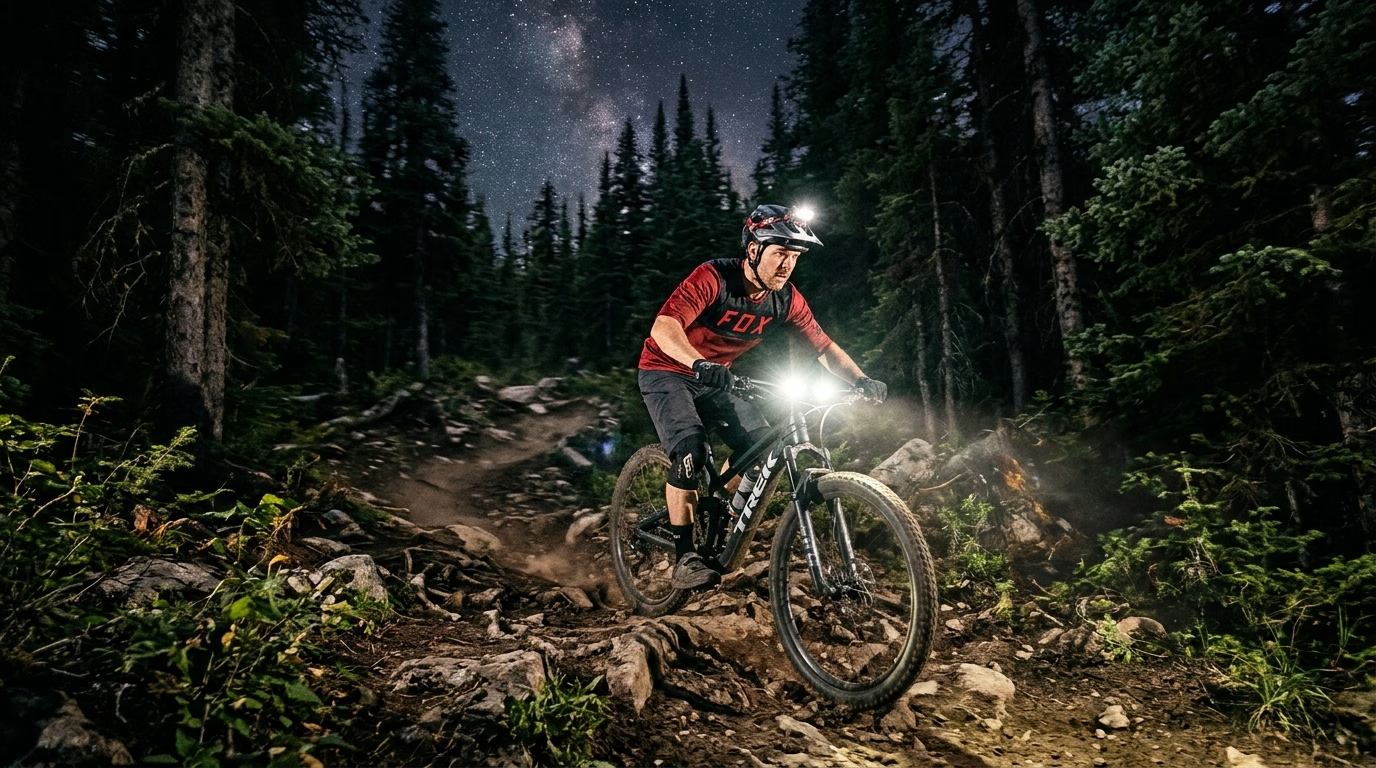
Can you spot a root in time to steer around it while still watching the trail ahead? That familiar night-ride challenge makes choosing a light harder than picking the brightest one.
As the days grow shorter and the air crisp, the fading daylight shouldn’t signal the end of your riding season. With winter and low-light conditions setting in, early-evening trail rides can quickly turn dark, making visibility and safety top priorities. Upgrading to a modern smart bike light setup now ensures you won’t be caught off guard on technical descents, giving you the power, battery intelligence, and adaptive brightness needed to extend your ride time safely through the darkest months of the year.
On technical terrain, rocks, roots, and tight turns can arrive quickly. Your speed changes, too, so a setting that works on a climb may feel weak on a fast descent. You also need other riders and drivers to notice you when your route reaches a road.
This roundup helps you compare trail illumination, smart behavior, mounts, and rear awareness. The right choices can help you see hazards and stay visible without adding controls that distract you. You will find options for different rides, from familiar trails to long outings with road connections.
Ordinary illumination gives you a steady beam or a manually chosen mode. Smart lighting goes further: it reacts to riding conditions and changes how it works.
What makes a bike light smart for trail riding?
A smart light changes its behavior in response to a signal, rather than relying only on you to press its button. Adaptive brightness is a light’s automatic change in output in response to conditions such as your speed or the surrounding light.
That differs from manually selected modes, which stay at the setting you choose until you change them. A light may use sensors, a phone app, or a compatible bike computer to guide its response. Some setups combine these tools, while others use only one.
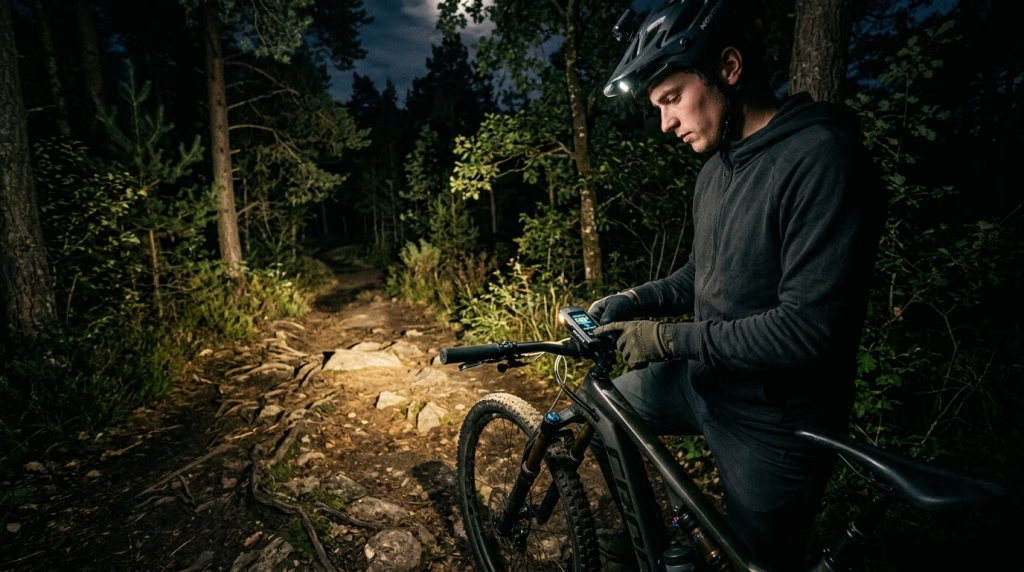
Smart features can affect more than brightness. A system might show battery status, send information to a computer, or let you change modes from a control. Check the specific features before you build a setup around them.
Use these checks to see whether the smart functions will help rather than distract:
- Automatic brightness response: What condition changes the output?
- Control method: Do you use a button, app, or bike computer?
- Device compatibility: Does your current device work with the light?
- Manual override: Can you choose a setting when needed?
- Status or battery indication: Can you see the mode and remaining charge?
A smart light can still disappoint if its basic beam leaves important trail features hard to see. Smart behavior is useful only when the beam itself suits the trail, so output and coverage matter next.
How many lumens do you need for night riding?
For a slower ride on mellow trails in full darkness, start by treating 500 lumens each on your helmet and handlebar as a minimum, not a universal target. For proper night riding, around 1,000 lumens or more per light is a more practical starting point.
Many riders will find around 2,000 lumens a useful general sweet spot for varied trail conditions. You can lower the output when you slow down or ride easier terrain. Brighter settings use more battery power, so choose enough light without running the highest mode by default.
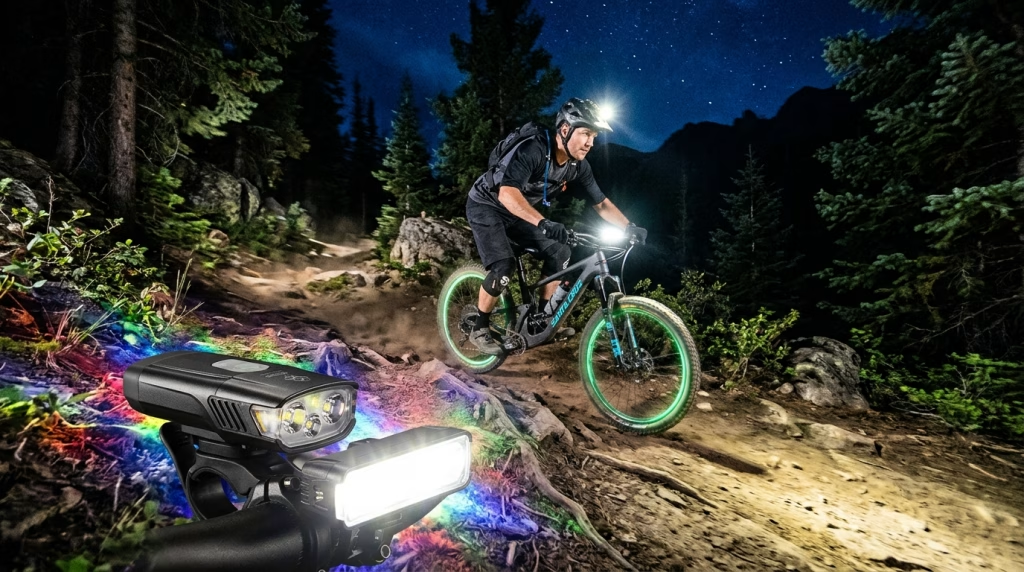
Lumens measure a light’s total output, not how well it reaches a certain point. Distribution and throw also affect what you can see. A narrow beam can send light far ahead but leave trail edges dim, while a wider one may show more nearby detail.
| Riding situation | Starting output guidance | What that guidance assumes |
|---|---|---|
| Slower, less aggressive riding in full darkness | 500 lumens each on helmet and handlebar | Bare minimum for mellow terrain and slower speed |
| General night riding | 1,000 lumens or more per light | Practical recommendation for proper night riding |
| Varied trail riding | Around 2,000 lumens | Useful sweet spot; lower output when speed or terrain allows |
These figures are starting points, not promises of equal performance across all lights. A light’s shape, placement, and usable modes affect how much of its output reaches the trail. Move from how much light you need to where that light needs to reach.
Beam cutoffs vs. flood trails: which pattern works off-road?
A beam that works well on a lit road can leave the trail edges harder to read when you turn onto singletrack. Judge the lit area, not just a light’s peak output.
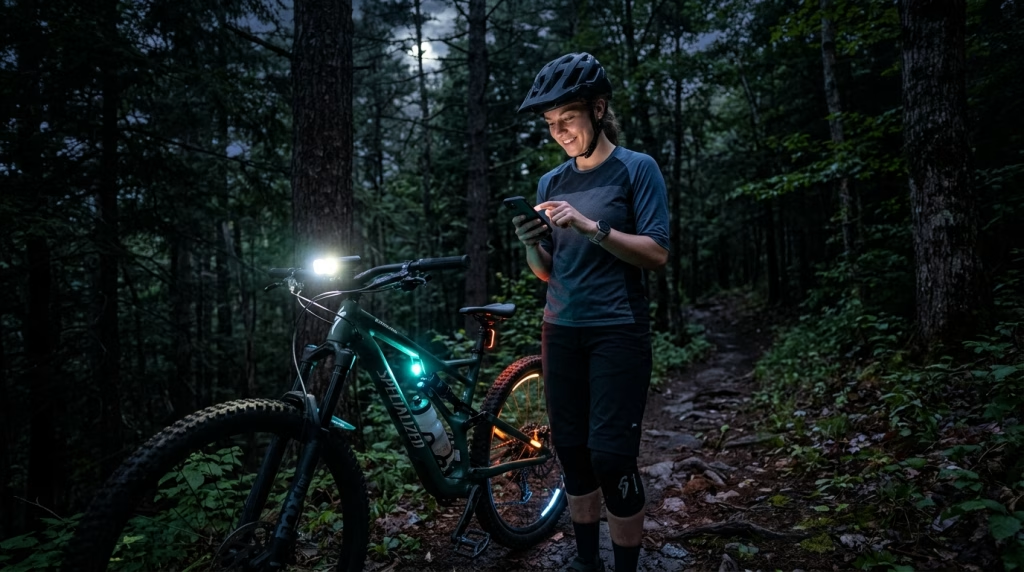
A road cutoff creates a controlled upper edge and reduces upward spill. That can help limit glare to other road users. A mountain-bike flood serves a different priority: it spreads light across nearby ground, where roots and trail edges can hide.
| Pattern | Coverage | Trail-use consideration |
|---|---|---|
| Cutoff | Controlled upper edge, reduced upward spill | Useful where road glare matters; may constrain peripheral trail illumination |
| Flood | Broad nearby coverage | Useful for roots and trail edges; may offer less long-distance focus |
| Combined pattern | Spread and distance together | Useful when you need near-trail context and forward visibility |
Beam pattern shapes your visibility as much as output does. A road-focused cutoff and a mountain-bike flood meet different needs, and neither pattern suits every ride.
When you compare lights, look at how much of the trail is lit from side to side and ahead. A high peak number cannot tell you whether a winding path will stay visible around the next bend.
Your bars and helmet also affect where that beam lands. Hand off from beam shape to the mounting positions that let you aim it where you need it.
Helmet or handlebar mount: which should you use?
If you steer around a switchback while looking toward the exit, a handlebar beam and a helmet beam will not point in exactly the same direction. A handlebar-and-helmet combination is the recommended baseline for the best nighttime visibility.
A handlebar light points generally where the bike travels and turns with the bars. A helmet light moves with your head and gaze. Together, they can show both the route ahead and the place you are looking on twisty, uneven, or rolling trails.
A handlebar light keeps the beam steady with the bike
A handlebar light gives you a beam that follows the bike’s direction. It can keep the ground in front of your wheel lit while you scan the route. During a tight turn, though, it may point away from the spot you are watching.
The mount also affects how well the light stays aimed. A hinged clamp mount is generally more stable than a stretchy rubber strap on rough ground. The strap is quicker and tool-free to fit, which can make removal easier.
A helmet light follows your gaze
A helmet light points where you look, including into a turn before your handlebars face that way. It can also help you scan for a trail marker or check a rough feature. Its beam may bounce as your head moves, and the light adds weight on your head.
| Setup | Where the beam points | Main tradeoff |
|---|---|---|
| Handlebar only | Follows bike and bar direction | Can miss what you are looking at during a turn |
| Helmet only | Follows your gaze | Can bounce and adds weight on your head |
| Both | Combines a bar-directed beam and a gaze-directed beam | Adds another light and mount to manage |
For a rolling trail with quick changes in direction, the two beams can fill in for each other. A single light may suit a slower, familiar route, but a second beam gives you another view when the path bends.
Use the combined setup as a baseline, then consider whether a smart light can adapt its output as your speed changes.
How does speed-adaptive brightness change output?
A light that raises output as you pick up speed can give you more forward visibility when the trail starts passing faster. Speed-adaptive brightness can use a higher setting at speed and a lower one when less light is enough.
That response may balance visibility and battery use across a ride. Faster sections can call for more light ahead, while slow climbs or familiar ground may not need the same output. The lower setting can help conserve battery, though the result depends on how the light works.
Before relying on an automatic mode, check how much control you keep. A setting that changes at the wrong moment can feel distracting, especially on rough ground where your attention belongs on the line.
Check these three points before a ride:
- Can you turn the feature off?
- Can you set its output range?
- Does a manual control remain available?
Speed-linked output uses your pace as a signal. Other systems can react to different changes around you, so learn what a light responds to before trusting its automatic behavior.
What do reflex technology and AI adjustments actually do?
The word “reflex” is most useful when you treat it as a label for a response, then check what the light is responding to. “Reflex” may describe an automatic output change based on riding demand, but it does not name one shared system.
One light may adjust output in response to riding conditions. Another may use different inputs or logic. The label alone does not tell you what changes, when the change happens, or how much control you keep.
Reflex technology responds to changing riding demand
A reflex feature can change brightness as the light senses a need for more or less output. Check the light’s controls and settings to learn how it behaves. Do not assume the same label means the same response across different lights.
It is also worth checking whether you can override the automatic choice. A quick manual change can matter when the trail becomes steep, rough, or hard to read. You should not have to rely on an automatic setting at every moment.
Sensor-driven adjustments can react to surroundings
Other sensor-driven systems may react to motion, ambient conditions, or braking. Their inputs differ, so “AI” does not guarantee a particular feature or result. Check what signals a specific model actually uses.
A simple manual override gives you a choice when an automatic response does not fit the trail. You can keep your attention on the ground instead of trying to guess what the light will do next.
Automatic changes affect the light ahead of you. Radar systems add information about what is approaching from behind, giving you another way to monitor your surroundings.
How can smart lighting help with rear awareness?
A rear light helps others notice you, while radar can add information about approaching vehicles. A rear light supports visibility, but a radar alert is a separate aid for awareness.
Some radar systems send vehicle information to a compatible bike computer. Some lights change output in response to traffic or braking. Those features may help you notice a change behind you, but they do not replace attention or safe riding.
Rear awareness can matter when your route leaves the trail or brings you near other riders and drivers. Think about where you will ride and who might approach from behind:
- A road transfer before or after the trail
- A shared approach to a trailhead
- A ride with traffic behind you
A rear light and a bike radar do different jobs, though one setup may include both. The right balance depends on your route and how often you share space with traffic.
Your riding pattern determines whether your priority is trail illumination, rear visibility, or a combination.
Which setup fits your kind of mountain biking?
A short lap on a familiar trail asks less of your lighting setup than a fast descent on unfamiliar, rocky terrain. Choose output, beam coverage, and placement for the trail and pace you expect, not for every ride at once.
Battery needs also change with the length and speed of a ride. A light that works for a quick loop may not suit a long outing. Rear radar can add value when your route includes road connections, but may matter less on a trail-only ride.
Short, slower rides on familiar trails
On a short, known route, you may not need the same output as you would on an unfamiliar descent. Familiar turns and a slower pace can make a more modest setup practical, as long as the beam shows the trail clearly.
A handlebar light may work if you stay at a steady pace and know the route. A helmet light can help when you need to look into a corner or check a feature. Using both adds coverage, but also means another mount and battery to manage.
For this ride, think about a battery plan that suits the time you expect to be out. Radar has less value if you stay on trails, but it may help if the route uses a road approach.
Fast technical descents and tight turns
Fast riding on rocky, unfamiliar ground calls for more forward visibility and a beam that shows nearby edges. A higher-output setup may help you read features sooner, while a broad spread can reveal roots outside the center of the trail.
A handlebar light follows the bike, while a helmet light follows your gaze. That difference matters when you turn your head toward an exit before the bars point there. Both placements can help, though the helmet light may bounce on rough ground.
Plan for greater battery demand if you use high output for long stretches. A smart mode may adjust output, but you still need to know its behavior and keep manual control within reach. Radar is less central off-road unless your ride includes roads.
Long rides that include dark-road connections
A long ride asks you to manage battery time as well as trail visibility. Use the output and beam coverage that fit the technical sections, then consider whether lower modes suit slower stretches. A two-light setup can help you see around turns, but adds another battery to track.
Road connections also make rear visibility and bike radar more useful. A rear light helps others notice you, while radar can provide information about vehicles approaching from behind. Neither replaces looking and riding with care.
One setup does not suit every ride. Use these ride profiles to narrow the broad product shortlist to the type of light you actually need.
The Best Smart Bike Lights for Mountain Bikers: which models fit your ride?
Start your shortlist by separating the lights that illuminate the trail from the devices intended to improve rear awareness. Compare each option against your output, beam, battery, mount, and compatibility needs.
The names below are candidates to investigate, not a claim that every model suits every trail. A front trail light and a rear radar system serve different jobs, while a smart rear light focuses on helping others see you.
Front trail lights for illuminating the route
These five models belong on your front-light shortlist:
- Magicshine RN 1500 V2.0
- Magicshine RN 3000 V2.0
- Niterider Lumina Dual 2000
- Fenix BC26R
- Ravemen K1400
Use your trail conditions to decide which details matter most. You may need a wide view for winding singletrack, a beam that reaches farther, or a mount that stays steady over rough ground.
Here are quick reviews of these lights checking the exact output options, battery needs, mounting method, and controls for each light. A model name alone does not show whether its beam or modes suit your pace and terrain.
Magicshine RN 1500 V2.0
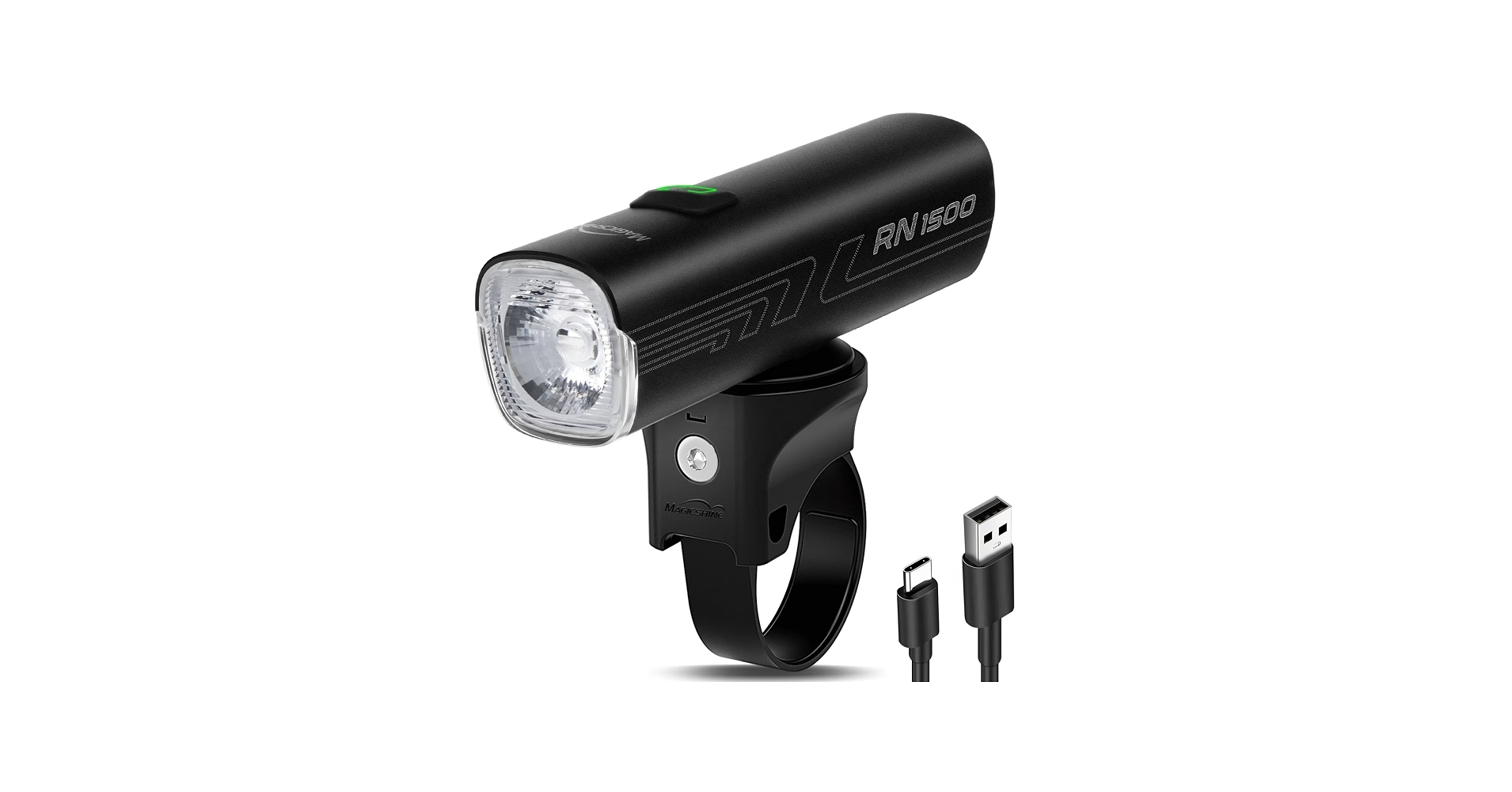
- Exact Output Options: Delivers up to 1,500 lumens with 3 steady modes (1,500 LM for ~1.6 hrs, 750 LM for ~4 hrs, 300 LM for ~12.5 hrs) and 2 flashing modes (0–750 LM). Features an anti-glare lens pattern for oncoming traffic.
- Battery Needs: Integrated 21700 3.6V 5000mAh rechargeable lithium-ion battery. Features USB-C fast charging and reverse charging to double as a power bank.
- Mounting Method: Uses a standard Garmin quarter-turn lock mount. Comes with handlebar straps (fitting 28.6mm–35mm bars) and a GoPro adapter for out-front or helmet mounts.
- Controls: Single top button for power on/off, mode toggling, and locking. Integrates a 3-color LED battery indicator.
Magicshine RN 3000 V2.0
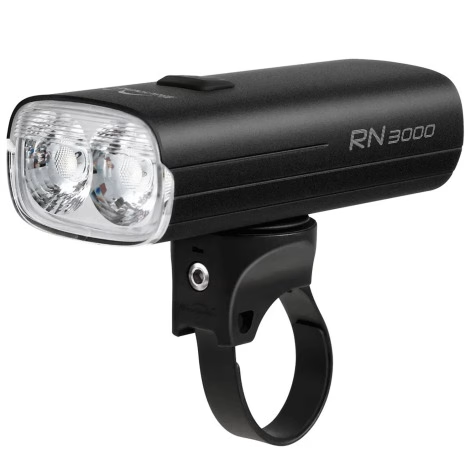
- Exact Output Options: High-powered dual-LED setup producing up to 3,000 lumens across eco, low, medium, high, and flash settings, reaching up to 263 meters beam distance.
- Battery Needs: Massive built-in 10,000mAh internal Li-ion battery pack. Uses USB-C fast charging and supports power delivery output to charge external devices like GPS units or phones.
- Mounting Method: Heavy-duty Garmin quarter-turn locking style mechanism. Includes handlebar hardware and an included GoPro adapter for under-mount clean bar setups.
- Controls: Top-mounted multi-function button controls mode selection, power state, and travel lock mode. Includes a tri-color backlit power level indicator.
NiteRider Lumina Dual 2000
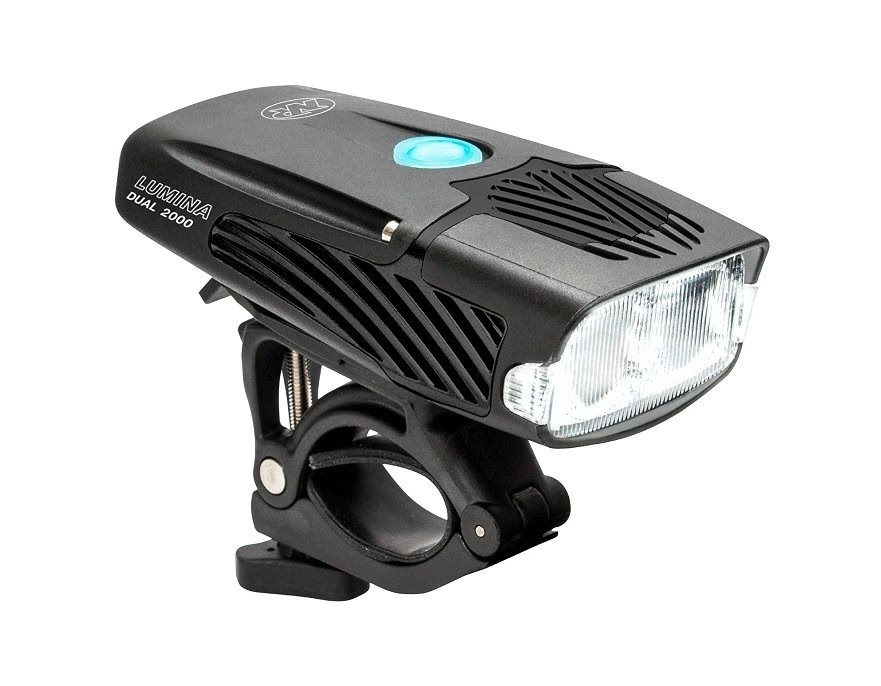
- Exact Output Options: Dual-LED light providing 7 total modes: Boost (2,000 LM) for 1 hr, High (1,800 LM) for 2.5 hrs, Medium (950 LM) for 4.5 hrs, Low (575 LM) for 8.5 hrs, Walk Mode (150 LM) for 21.5 hrs, plus Pulse Flash and Fast Flash modes.
- Battery Needs: Internal USB-C rechargeable lithium-ion battery with a ~3.5-hour recharge time.
- Mounting Method: Heavy-duty, quick-release handlebar clamp mount engineered to handle aggressive off-road vibration.
- Controls: Single tactile power button that cycles modes and includes a built-in low-battery indicator light and travel lock mode.
Fenix BC26R
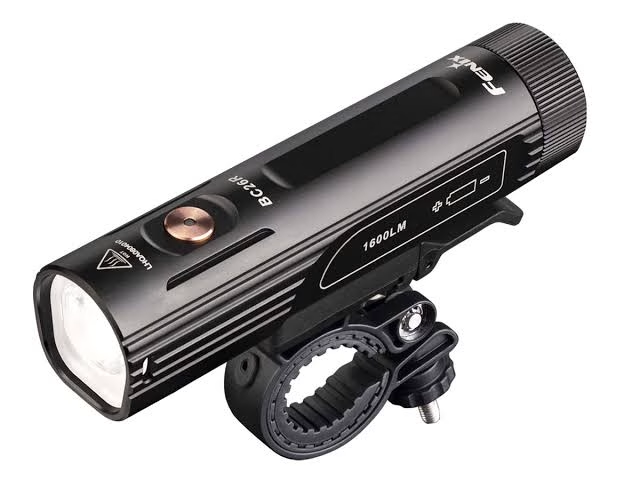
- Exact Output Options: Max output of 1,600 lumens across 4 brightness levels plus a flash mode: Turbo (1,600 LM) for ~3.5 hrs, High (600 LM) for ~9.5 hrs, Med (200 LM) for ~18 hrs, and Low (50 LM) for ~65 hrs.
- Battery Needs: Powered by an included, swappable 21700 5000mAh rechargeable battery. Charges via built-in USB-C port, allowing instant battery swaps in the field.
- Mounting Method: Quick-release handlebar mount with 360-degree horizontal adjustment and flexible silicone shims for various bar diameters.
- Controls: Single top metal switch operation for power, brightness cycling, and travel lock. Features an integrated LED battery level status ring around the button.
Ravemen K1400
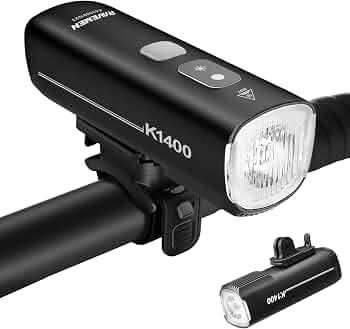
- Exact Output Options: Outputs up to 1,400 lumens using a wide-angle layered optical lens. Features AI Night Riding Mode (auto-adjusts brightness based on ambient light) and an intelligent daytime running light setting.
- Battery Needs: Built-in 4000mAh / 3.6V Li-ion battery with USB-C charging and power bank capabilities to charge accessories.
- Mounting Method: Includes both a standard rubber strap handlebar mount (22.2mm–35mm) and an upside-down (GoPro-style) adapter for direct under-mount computer arm integration.
- Controls: Operated via top-housing button or the included wireless remote switch, allowing hands-free beam and mode adjustments directly from your bar grips.
Rear radar systems for approaching-vehicle awareness
These options are designed to help you track traffic approaching from behind:
- Garmin Varia RTL 515
- Wahoo Trackr Radar
When comparing them, start with how you want to receive alerts and whether your current riding setup supports the information you need. A radar system is not the same as a front light, and its role matters most on rides where vehicles may approach from behind.
Now, here are quick reviews of these 2 systems to help you check the current features and compatibility that matter to your devices. The listed names give you places to start, not a promise that every system works with your computer.
Garmin Varia RTL515
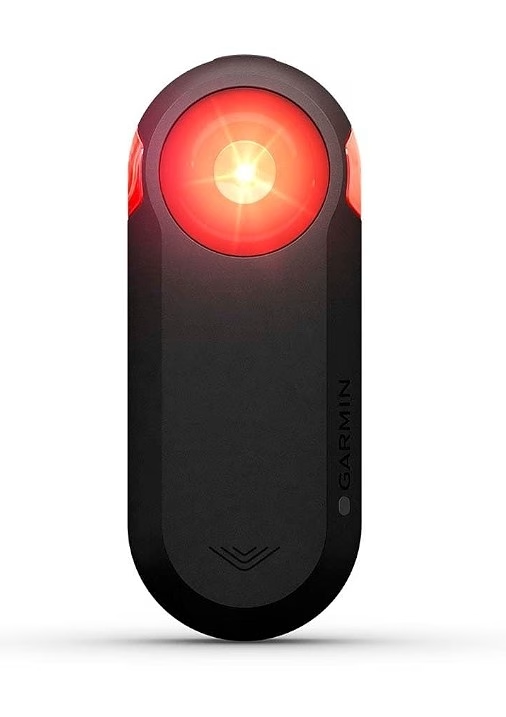
- Exact Output Options: Delivers up to 65 lumens max output across 4 modes: Day Flash (65 LM) for 16 hrs, Night Flash (29 LM) for 6 hrs, Solid (20 LM) for 6 hrs, and Peloton Mode (8 LM) for 8 hrs to protect draft partner vision. Integrated vehicle detection radar senses approaching cars from up to 153 yards (140 m) away.
- Battery Needs: Internal rechargeable lithium-ion battery charging via Micro-USB with up to 16 hours total runtime in Day Flash mode.
- Mounting Method: Tool-free quarter-turn mount with included shims tailored for round, aero, and D-shaped seatposts.
- Controls: Single top button toggles power and manually steps through flash patterns. Connects wirelessly via ANT+ or Bluetooth LE to bike computers, smartwatches, or smartphone apps for radar displays and automated light alerts.
Wahoo Trackr Radar
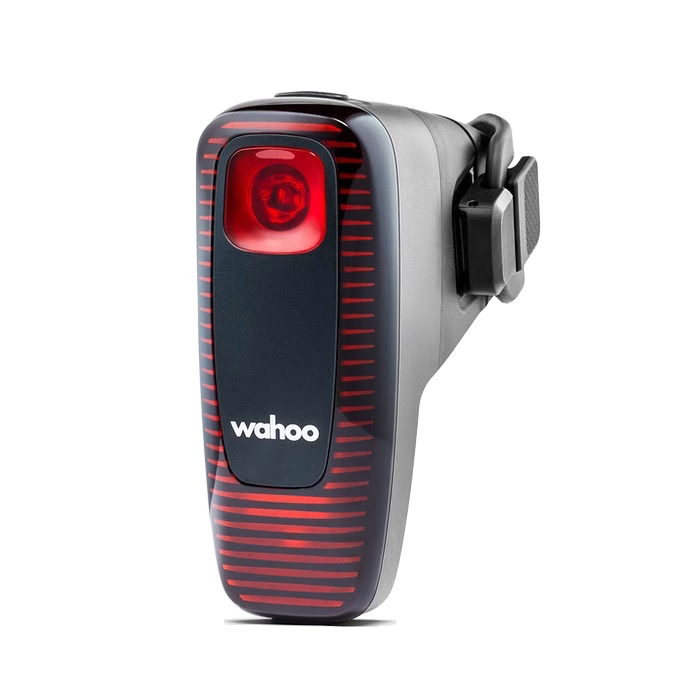
- Exact Output Options: Features a reactive rear radar light delivering up to 60 lumens max output. Modes include Day Flash (60 LM), Night Flash, Solid, and an Auto-Brake state that automatically brightens upon sudden deceleration. Tracks vehicles approaching from behind up to 150 meters away.
- Battery Needs: Internal rechargeable Li-ion battery supporting USB-C fast charging with up to 10 hours runtime in active radar/flash mode.
- Mounting Method: Universal heavy-duty seatpost bracket using high-tension elastomer straps compatible with round, aero, and oversized seatposts.
- Controls: Top physical button for power and cycling light patterns. Full smart control and radar overlay feeds directly through Bluetooth / ANT+ to Wahoo ELEMNT units, third-party head units, or mobile apps.
Rear smart lights for added visibility
These rear lights are candidates for a setup focused on visibility:
- ROCKBROS Q5 Smart
- Magicshine Seemee 300
- Magicshine Seemee 400
Now, here are quick reviews of these lights to compare their modes, mounting options, and the way each light helps others notice you. A smart rear light may add features beyond a steady setting, but those features do not turn it into a radar system.
ROCKBROS Q5 Smart
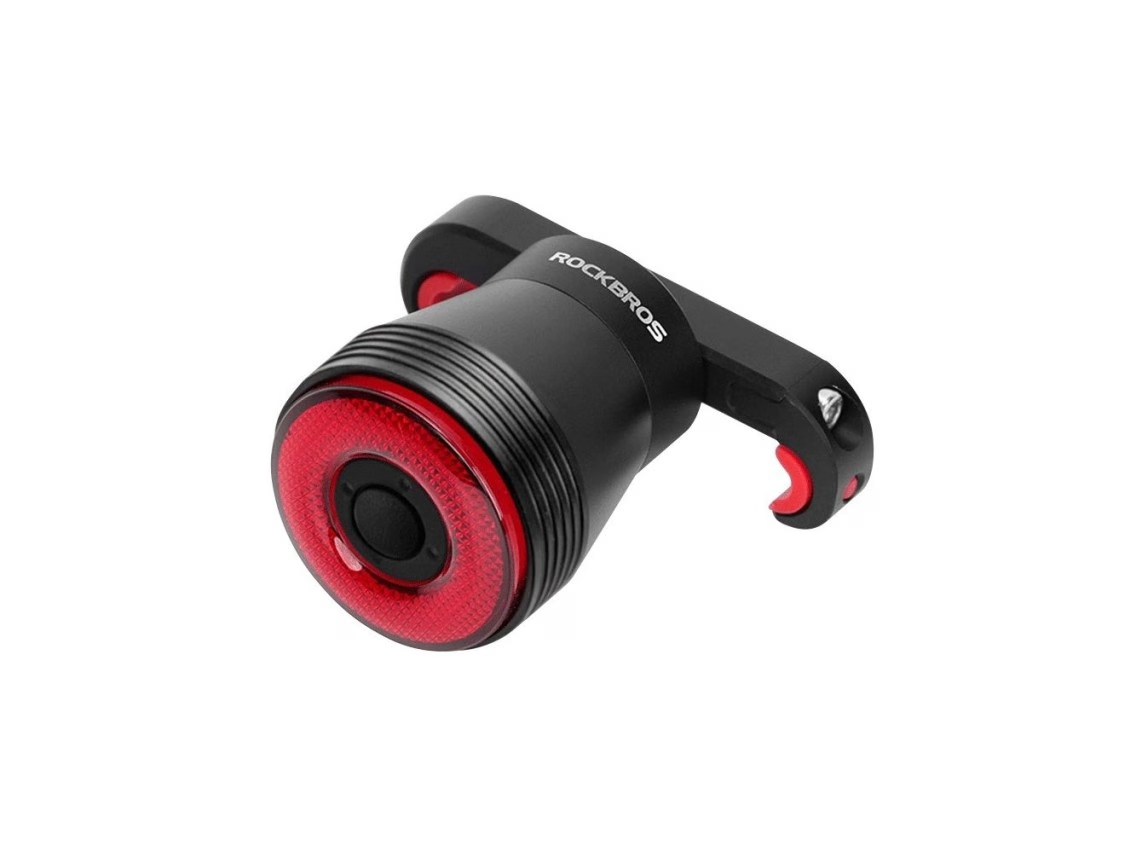
- Exact Output Options: Delivers up to 40 lumens using high-brightness COB LEDs with 4 lighting modes: Flash, Breathing, Strobe, and Steady. Built-in 3-axis accelerometer automatically triggers a bright 3-second brake light indicator when slowing down.
- Battery Needs: Built-in 400mAh rechargeable lithium-polymer battery charging via Micro-USB / USB-C (depending on production batch), giving roughly 20–50 hours runtime based on flash setting.
- Mounting Method: Includes dual mounting hardware out of the box: a tool-free rubber strap for round seatposts, plus a saddle-rail bracket setup for a clean under-seat look.
- Controls: Single push-button in the center of the lens operates power/modes and switches between Manual Mode and Smart Mode (auto light sensor turns light off in bright daylight and auto-sleeps after 60 seconds of inactivity).
Magicshine Seemee 300
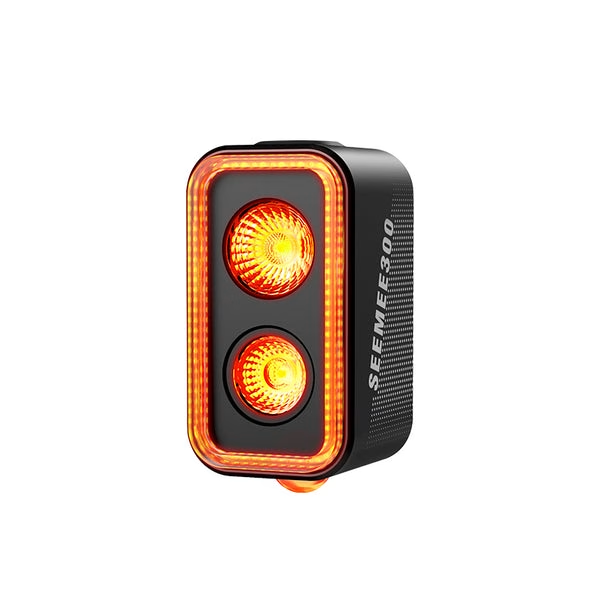
- Exact Output Options: Produces a powerful 300 lumens main light output paired with a 360° Tracing Light projected downwards onto the road for footprint visibility. Features Smart Day Flash (300 LM), Night Flash (100 LM), and Solid (20–100 LM) modes, plus built-in motion brake-sensing that boosts output to 300 LM when slowing down.
- Battery Needs: Integrated 1600mAh rechargeable battery with USB-C charging providing up to 200 hours runtime in eco mode.
- Mounting Method: Garmin-style quarter-turn mount system with quick-release silicone seatpost straps for rapid mounting.
- Controls: Single top button for manual power and light level adjustments. Features an integrated ambient light sensor for automatic day/night mode switching.
Magicshine Seemee 400
- Exact Output Options: High-visibility rear system outputting up to 400 lumens with 360-degree tracing beam illumination. Includes Day Flash (400 LM), Night Flash, and Group Riding Mode, alongside an intelligent accelerometer-based brake sensor that triggers maximum brightness upon deceleration.
- Battery Needs: Built-in high-capacity 2000mAh internal Li-ion battery charged via USB-C, yielding up to 80+ hours of continuous battery life in lower power/eco modes.
- Mounting Method: Quick-mount quarter-turn mechanism supplied with saddle-rail mounting brackets and multi-diameter seatpost straps.
- Controls: Top multi-function switch for power, mode cycling, and mode locking. Built-in ambient sensor automatically tunes brightness for ambient conditions and enters low-power safe mode when battery hits 10%.
It helps to keep your needs written down before comparing options. List the trail type, the ride length, the beam coverage you want, and any computer or mount requirements you already have.
Narrow the front-light candidates first, then examine radar and rear-light compatibility for rides that include roads.
What should you compare when choosing a front trail light?
Two front lights with similar output can feel very different on a trail if one leaves the edges dark. Compare usable trail coverage, not headline output alone.
Check how the beam reaches ahead and spreads to the sides. A light that reaches far but leaves nearby trail edges dim may not help much on winding singletrack. Look at the lit area where you ride, not just a number on a package.
Think about the mount and controls, too. A loose mount can change where the beam points over rough ground. Controls should be reachable without making you lose your grip or take your attention from the trail.
Consider the terrain you ride most often. A broad beam can help when you need to see roots near the trail edge. A focused beam may suit straighter sections where you need more light ahead.
A powerful light can still be a poor fit if its beam is too narrow for winding singletrack. The overall quality of the beam, its stability, and easy controls all shape how useful it feels.
Once you have judged the forward beam, shift to the head-unit and radar requirements of the rear systems.
Which rear radar lights suit your setup?
The key choice between rear radar systems is whether their alerts fit the head unit and riding setup you already use.
Garmin Varia RTL 515
The Varia RTL 515 gives you a stated detection range of up to 140 meters. It can be used with or without a bike computer, so a head unit is not required for its use.
Think about how you want to notice approaching vehicles on your route. If your ride includes dark roads, radar information can add context behind you. It does not replace checking your surroundings before changing position or turning.
Wahoo Trackr Radar
The Wahoo Trackr Radar requires a head unit to display radar data. That makes your computer part of the setup, rather than an optional way to view alerts.
Any radar alert is a support for awareness, not a substitute for looking behind you or riding with care. Hand off from radar alerts to rear lights whose main task is helping other people see you.
What should you look for in a smart rear light?
A rear light’s usefulness depends on how well it makes you visible, not only on its brightest setting. Side visibility, mounting, mode choice, and head-unit integration can matter as much as maximum output.
The ROCKBROS Q5 Smart and Magicshine Seemee 300 and Seemee 400 are rear smart-light candidates. Compare how their features suit your ride, rather than treating a rear light as a simple brightness contest.
The Magicshine Seemee 400 has a 400-lumen output and a downward-facing LED for added side visibility. It also offers ANT+ head-unit integration and an eco-mode battery life of 107 hours.
The earlier Seemee 300 has a 200-hour battery life in eco mode. These details give you a basis for comparing modes and integration, but the best choice still depends on how you ride.
Check whether the rear light is easy to mount where others can see it. Think about the light’s side visibility and how its chosen mode fits your route. Head-unit integration may also matter if you want to view light information while riding.
A mode that looks bright enough in one setting may not be the one you use for every ride. Connect the importance of mode and output choice to the battery life you can expect on a ride.
How do brightness and battery life affect ride planning?
A bright setting that works for a short descent may not be the right choice for an all-night ride. Higher output generally uses more power and reduces runtime.
A larger battery can extend runtime, but it may add weight or bulk to your setup. Your ride plan should account for how long you expect to be out and which modes you will use.
| Output choice | Power use | Runtime effect | When it can make sense |
|---|---|---|---|
| High output | Higher | Shorter | Fast or technical sections |
| Medium output | Moderate | Longer than high output | Mixed trail conditions |
| Low output | Lower | Longer than high output | Slower sections or conserving battery |
Use a mode that fits the trail instead of leaving a light at its highest setting for the whole ride. If a route includes both fast descents and slow sections, changing output can help you balance power and runtime.
Published runtime depends on the selected mode and actual use. Your battery life can differ from a stated figure when you use another setting or ride in different conditions.
Plan your output around the ride, then make sure the light and its controls are ready before you roll.
How do you set up and control a smart light?
A smart light is not fully set up just because it is charged and attached to your bike. Some smart lights need pairing with a phone or bike computer before their smart functions work.
Setup can take more effort than charging and mounting a conventional light. Check the controls before a ride, while you are parked and able to see how the light responds. Do not rely on an untested automatic mode for a technical trail section.
Follow these steps to prepare your light and control system:
- Charge the light.
- Secure the mount.
- Pair only with compatible devices.
- Select and test the intended modes.
- Confirm manual control before riding.
Pairing only makes sense when your devices support the connection. A phone or computer may provide access to some features, but you should know how to control the light without staring at a screen.
Test each mode before you enter a dark section. Check whether manual control works while the light is mounted, and make sure you can reach its buttons safely.
Keep the setup simple enough to use when the trail gets rough. Turn these steps into a quick pre-ride check that catches the most common problems.
What should you check before a night ride?
A quick check in the driveway is easier than discovering a loose mount or depleted battery on the trail. Check charge, controls, mounting, and visibility before you set off.
Use this six-item checklist each time you plan a night ride:
- Check the charge and expected ride duration.
- Confirm the chosen mode.
- Test automatic and manual controls.
- Tighten and aim the mounts.
- Inspect for dirt or water around the light and charging port.
- Confirm the rear light is visible from the side.
Mount stability deserves a close look before rough terrain. A rubber strap is convenient to remove, but may not be as stable as a clamp on bumpy trails. Check that the light still points where you aimed it.
Look for dirt or water around the body and charging port. Do not assume every model tolerates the same conditions. Check the actual light’s water-resistance guidance before riding in wet weather.
Then check that your rear light shows from the side, not only from directly behind. A pack, seat bag, or frame part can block the view if the light sits in the wrong place.
Finish by choosing one simple next step: test the setup on a familiar route before depending on it for a longer or more technical night ride.
Conclusion
The best setup for you is the one that lights the terrain you ride and remains easy to control as conditions change. Match the beam and mounting setup to your trail, then treat smart automation as a useful aid that still needs your attention.
Your immediate next step is simple: choose a familiar route and test your selected modes, aiming, and battery plan. Make sure the controls work before a demanding ride.
Test the setup on a familiar ride before taking it onto faster or more technical trails.